The best Samsung Food alternatives
Samsung Food is a free way to save recipes and plan meals. If you want a plan that bends when the week changes, one list for the whole house and help at the stove, here’s how the alternatives compare.
What Samsung Food does well
- Formerly Whisk, now part of Samsung.
- Saves recipes from websites, plans meals and makes shopping lists on the free tier.
- Food+ adds personalised weekly plans and recipe customisation.
- Runs on iOS, Android and the web.
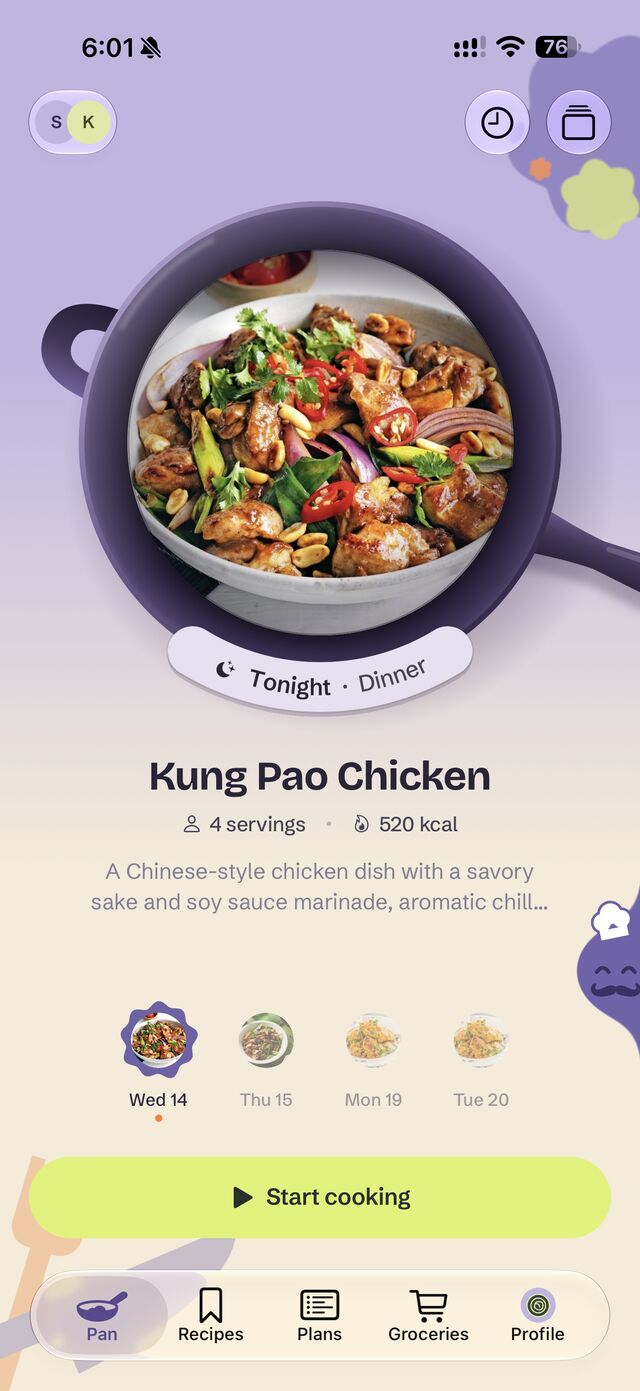
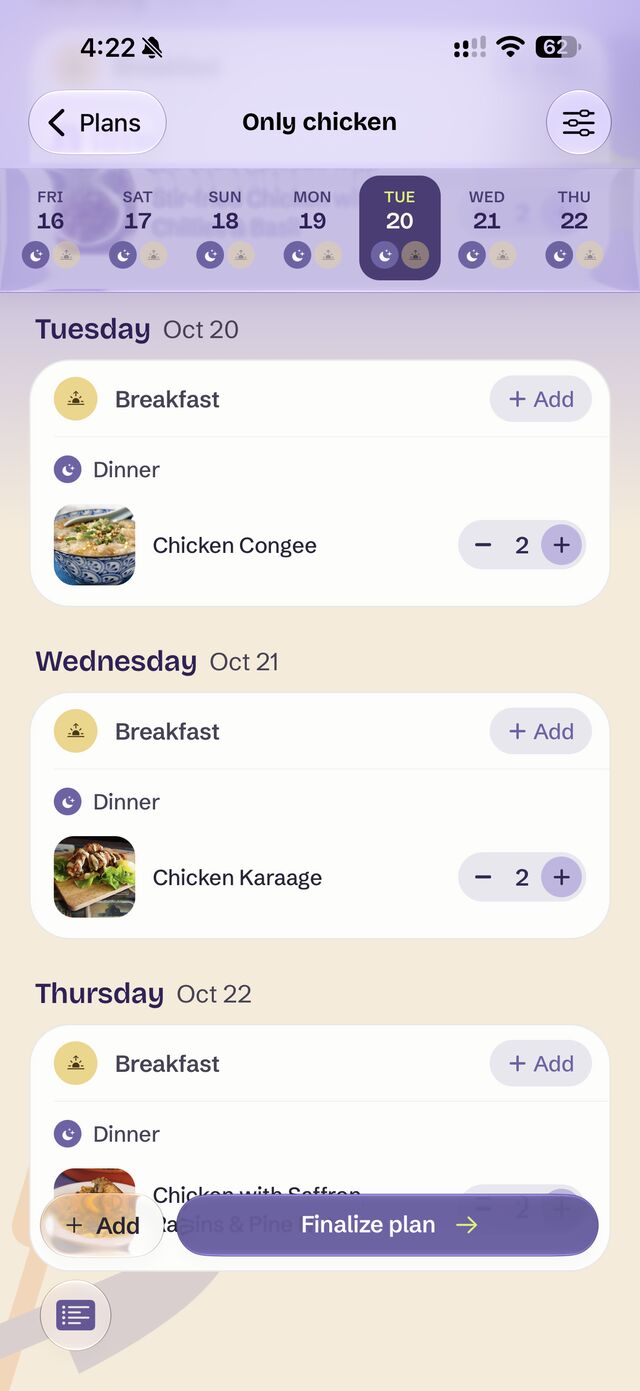
Plans that bend when life does.
Most meal planners are a calendar you fall behind on. Mellowpan is just the week’s meals, and it always shows you what to cook next, whatever happened yesterday.
No calendar required
Pick the week’s meals. Add dates only if you want to, like Sunday’s roast for guests.
Swap tonight in a tap
Not in the mood? Trade tonight’s dinner for another one from your week.
Missed a night? It waits
Didn’t get to a dinner? It’s still there for another night.
Cook once, eat twice
Make extra tonight and tomorrow’s lunch is sorted.
A plan for every purpose
Hosting a party or eating lighter this week? Give it its own plan and list.
More than recipes
Saving recipes is the easy part. Someone still has to decide what’s for dinner, buy it and cook it, often for more than one person. Mellowpan takes a recipe the whole way: saved, planned with everyone, on one shared grocery list, and cooked step by step.
See it in Mellowpan
-
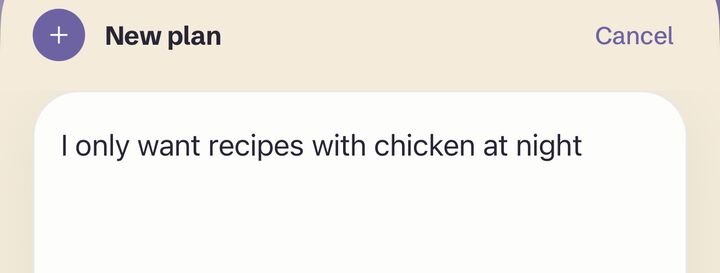
Plan the week in a sentence
Type or say what the week needs, like “only chicken at night”. You get a plan you can edit dish by dish, and everyone you invite sees the same week.
-
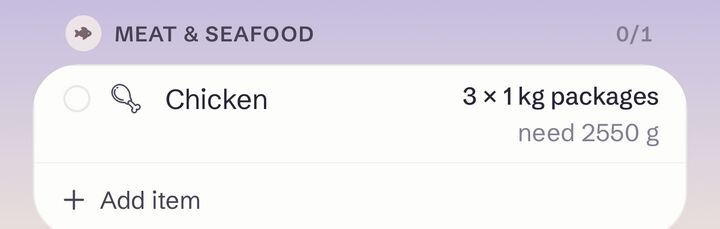
One shared grocery list
Every meal adds itself to one list the whole house can shop from, in the sizes your store actually sells.
-
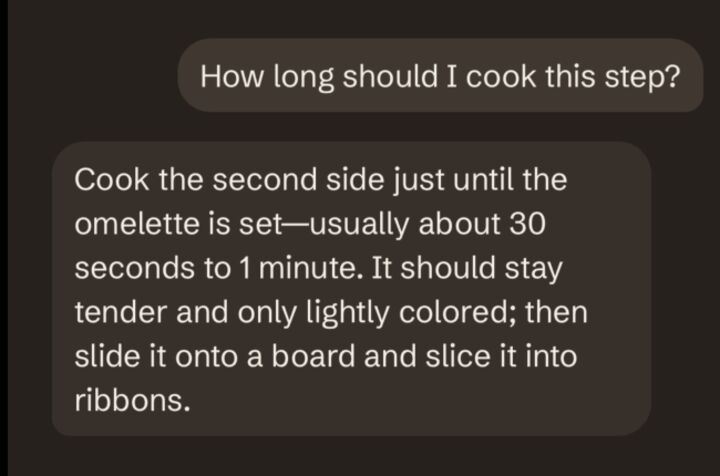
Ask about the step you’re on
Not sure what “until set” means? Ask, by typing or speaking. The answer knows the recipe and the step.
-
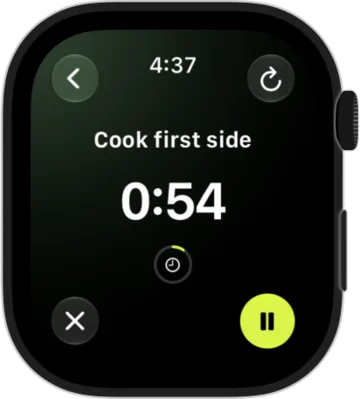
Cook hands-free
One step at a time, with timers on your wrist. Hands messy? Just say “next step”.
Pick the dinners. Watch the list.
These are real recipes from Mellowpan. Tick a few and the list adds itself up: the same ingredient in two dishes becomes one line.
Groceries
From 2 dishes
- vegetable oil1 tablespoon
- chicken thighs1 lb
- onionin 2 dishes2 medium
- garlicin 2 dishes5 cloves
- ginger1 tablespoon
- red curry paste2 tablespoons
- coconut milk1 can
- chicken stock1 cup
- fish sauce1 tablespoon
- brown sugar1 tablespoon
- bamboo shoots1 cup
- red pepper1
- basilPinch
- limeTo serve
- Chicken thighs8
- Cumin1 tsp
- Paprika1/2 tsp
- Olive oil2 tablespoons
- Pita bread6
- Chicken stock150ml
- Walnuts175g
- Single cream50 ml
- LemonJuice of 1
- CorianderHandful
Pick a dish to start your list.
In the app, your list comes in the sizes your store sells, and everyone at home can shop from it.


Choose Samsung Food if…
- you want a free app to save and discover recipes
- you like to plan on the web
- you want recipe customisation with Food+
Choose Mellowpan if…
- your week rarely goes to plan
- you cook for a household with different tastes at the table
- you’d rather describe the week than fill in a calendar
- you want one shared grocery list for the whole house
- you cook hands-free with Siri and Apple Watch, or in Spanish
What to look for in a replacement
A weekly planner you can change
Weeks change. Look for a plan you can edit meal by meal, without a calendar to keep up with.
A list built from the plan
The grocery list should add up ingredients across every recipe, not make you copy them by hand.
Your own recipes
Your favourites should come with you, from a link, a photo or a note.
Room for the household
If more than one person cooks or shops, a shared plan and list saves the “what’s for dinner?” texts.
The alternatives
Mellowpan is our app, so we’ve listed it first.
-
Mellowpan
Our appBest for: Households that plan and shop together
Tell it what the week needs and get a plan you can change anytime, with no calendar to keep up with. Everyone at home shares the plan and one grocery list. Save recipes from anywhere, then cook step by step with timers on your wrist. In English and Spanish.
- Free
- Browse and save recipes, and build collections
- Paid
- Premium (free trial): bring in your own recipes, meal plans, grocery lists from the plan, help while you cook
-
Paprika Recipe Manager 3
Best for: A recipe library you own outright
Save recipes from websites with its built-in browser, plan meals on a calendar, and make grocery lists that combine ingredients and sort them by aisle. It also tracks your pantry.
- Free
- No free version stated
- Paid
- One-time purchase, bought separately on each platform
-
Plan to Eat
Best for: Planning from recipes you already collect
Import recipes from the web with the share button or type in family recipes, add them to a planner, and let it build the week’s shopping list. Lists can be sent to a local store for pickup or delivery.
- Free
- 14-day free trial
- Paid
- Subscription
Source: Plan to Eat on the App Store
-
AnyList
Best for: A shared grocery list first, recipes second
Creating and sharing lists is free, and lists sync with the people you share them with. Recipe import is capped on the free tier; meal planning and unlimited imports come with AnyList Complete.
- Free
- Shared lists, up to 5 imported recipes
- Paid
- AnyList Complete: meal planning, unlimited recipe import, Mac and web apps
Source: AnyList features
-
ReciMe
Best for: Saving recipes from social media
Save recipes from Instagram, TikTok, Facebook, Pinterest, YouTube and photos, plan meals, and get grocery lists ordered by aisle or by recipe. Works on phones, the web and as a Chrome extension.
- Free
- Planner, lists and cookbook; 5 recipe imports a week
- Paid
- Subscription: no weekly import limit
Source: ReciMe
Side by side
| Feature | Mellowpan | Samsung Food | Paprika Recipe Manager 3 | Plan to Eat | AnyList | ReciMe |
|---|---|---|---|---|---|---|
| Plan the week from a sentence | Say “only chicken at night” and get a week of dinners | Personalised weekly plans | — | — | — | — |
| No calendar needed | Pick the meals; dates are optional | — | — | — | — | — |
| When the week changes | Swap tonight’s dinner anytime. Nothing gets lost | — | — | — | — | — |
| Planned leftovers | Make extra tonight for tomorrow’s lunch | — | — | — | — | — |
| Shared plan and list for the household | Everyone at home sees the same plan and list | — | — | — | Shared lists | — |
| Fits everyone at the table | Plans that fit everyone you cook for, kids included | — | — | — | — | — |
| Grocery list | One shared list that adds itself up, in the sizes your store sells | Shopping list | Combined, sorted by aisle | Built from the plan; can be sent to a store | Shared list | Ordered by aisle or by recipe |
| Hands-free cooking | Step by step, with timers on your wrist. Just say “next step” | — | — | — | — | — |
| Ask about the step you’re on | Stuck on a step? Just ask | — | — | — | — | — |
| Languages | English and Spanish | — | — | — | — | — |
| Meal planner | Change any meal or portion, anytime | Yes | Calendar | Yes | Yes | Yes |
| Save from social media | Instagram, TikTok, Facebook and YouTube | — | — | — | — | Instagram, TikTok, Facebook, Pinterest, YouTube |
| Save from photos, voice or text | Snap a cookbook page, say it out loud or paste a note | — | — | — | — | Photos and screenshots, including handwritten |
| Save from websites | Any recipe website | From websites | Built-in browser | Share button, or typed in | From websites | — |
| Free plan includes | Browse and save recipes | Saving, planning, lists | No | 14-day trial | Lists and 5 recipes | Planner, lists, cookbook; 5 imports a week |
| Platforms | iPhone, Apple Watch, Android | iOS, Android, web | iOS, Android, Mac, Windows | iOS, Android, web | iOS, Android, Mac, web | iOS, Android, web, Chrome |
Questions
- Is Samsung Food free?
- Yes. Its free tier includes recipe saving, meal planning and shopping lists; Food+ adds personalised plans and recipe customisation, according to its App Store listing.
- How is Mellowpan different from Samsung Food?
- Samsung Food is built for discovering and saving recipes. Mellowpan is built for the whole week at home: tell it what the week needs, share the plan and one grocery list with everyone, change dinner whenever life gets in the way, and cook step by step with timers on your wrist. It’s in English and Spanish, on iPhone and Android.
Sources
Checked November 2, 2026. Apps change; tell us at support@wytun.com if something here is out of date.